3 min read
Connect Airbnb or Booking.com
If you rent for short stays, connect each listing's calendar. New bookings come in by themselves and a clean is planned after every check-out.
- 1
Copy the calendar link from the platform
Open Short stays and choose where the home is listed: Airbnb, Booking.com, Vrbo or Other. BnB247 shows you where that site keeps the calendar link.
On the platform, find Export calendar and copy the link. If you can't find it in their app, open their website in your phone's browser.
- 2
Paste it into BnB247
Paste the link into the box 1 (on a phone, tap Paste), choose the home it's for and tap Connect calendar. A green tick means it looks like a calendar link.
Bookings are checked every hour. To add more listings later, use Connected calendars → Connect another calendar. You can also add direct bookings under Add a stay yourself, and enter each payout so it counts as income.
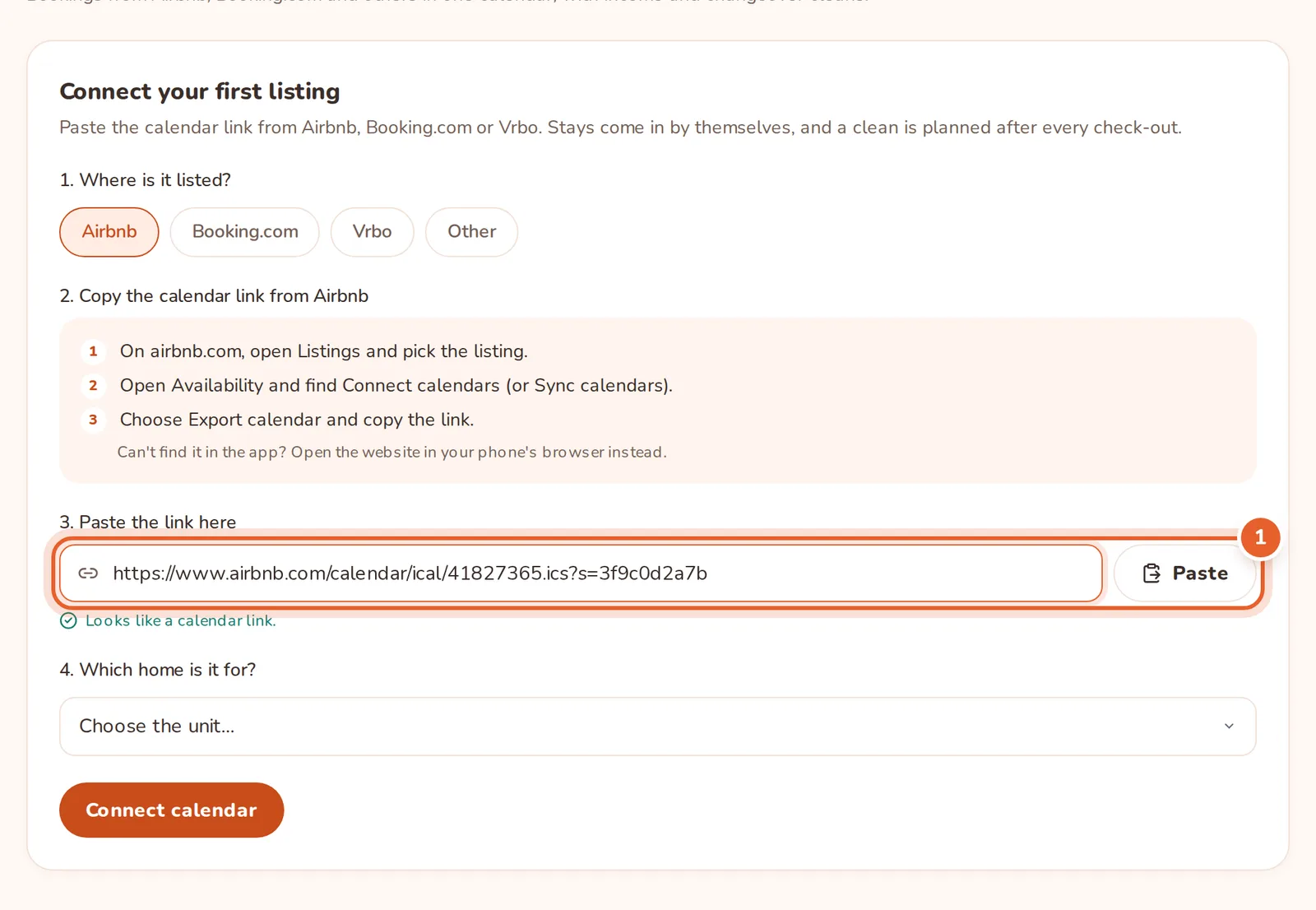
The form for connecting a calendar link - 3
Plan the cleaning
Add your cleaners under Cleaners and choose which units they clean. A clean is planned on each check-out day 1.
Each cleaner gets their own link to see the schedule, tick off cleans and add photos and a note — no account needed.
Their photos and notes appear under each clean in the Cleaning schedule, and you get an email when they send some. Tap a photo to see it full size.
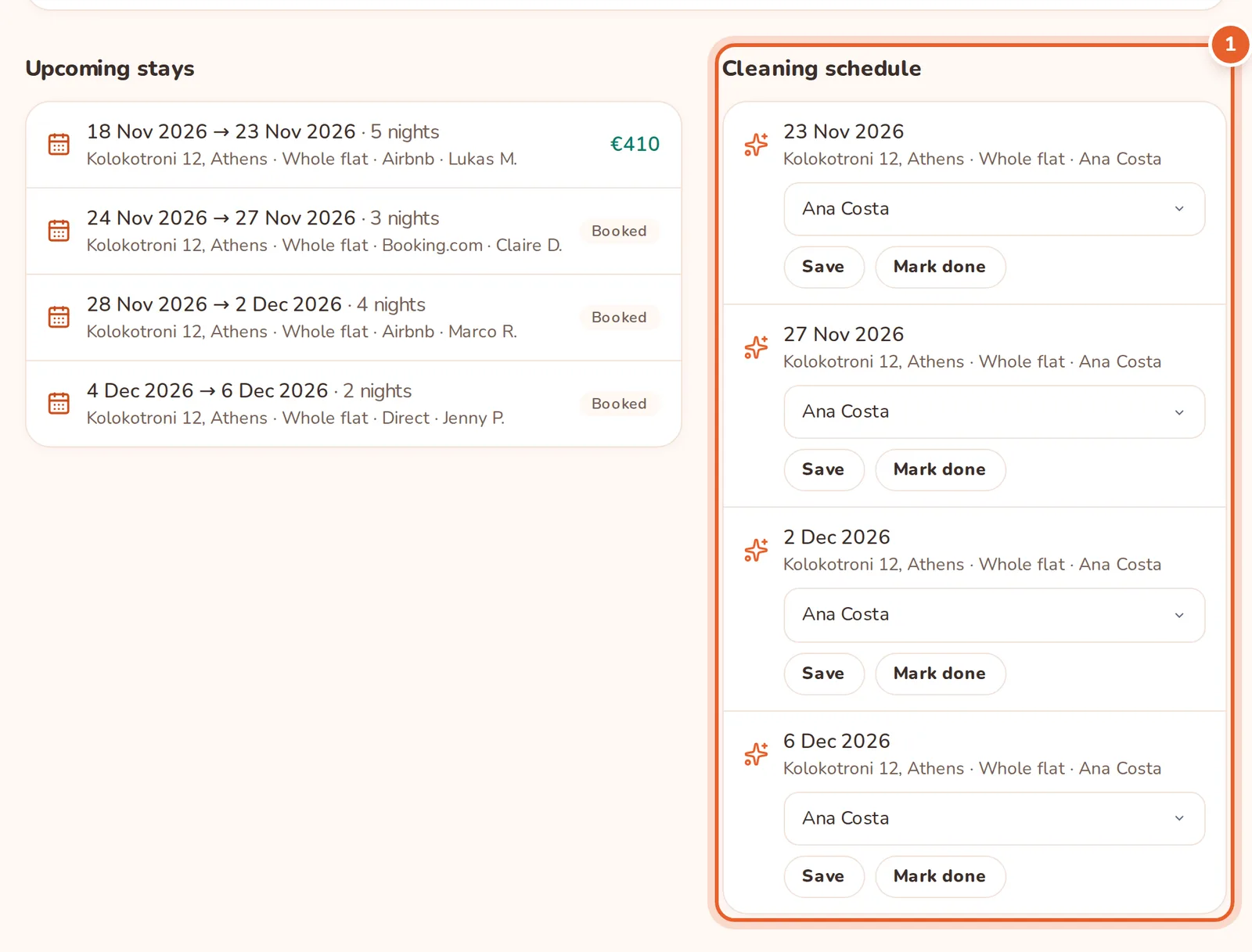
The cleaning schedule and cleaners
Still stuck?
Email us and a real person will help — usually within one working day.