First steps · 4 of 5 2 min read
Mark rent as paid
When a tenant pays, record it in two taps. BnB247 keeps the list of who owes what up to date and stops the reminders.
- 1
Open the tenancy and tap Mark paid
Open the tenancy from the property page, or from Tenants. Under Rent there's a line for every month.
Tap Mark paid 1 when the full rent has arrived. It's recorded as received today by bank transfer.
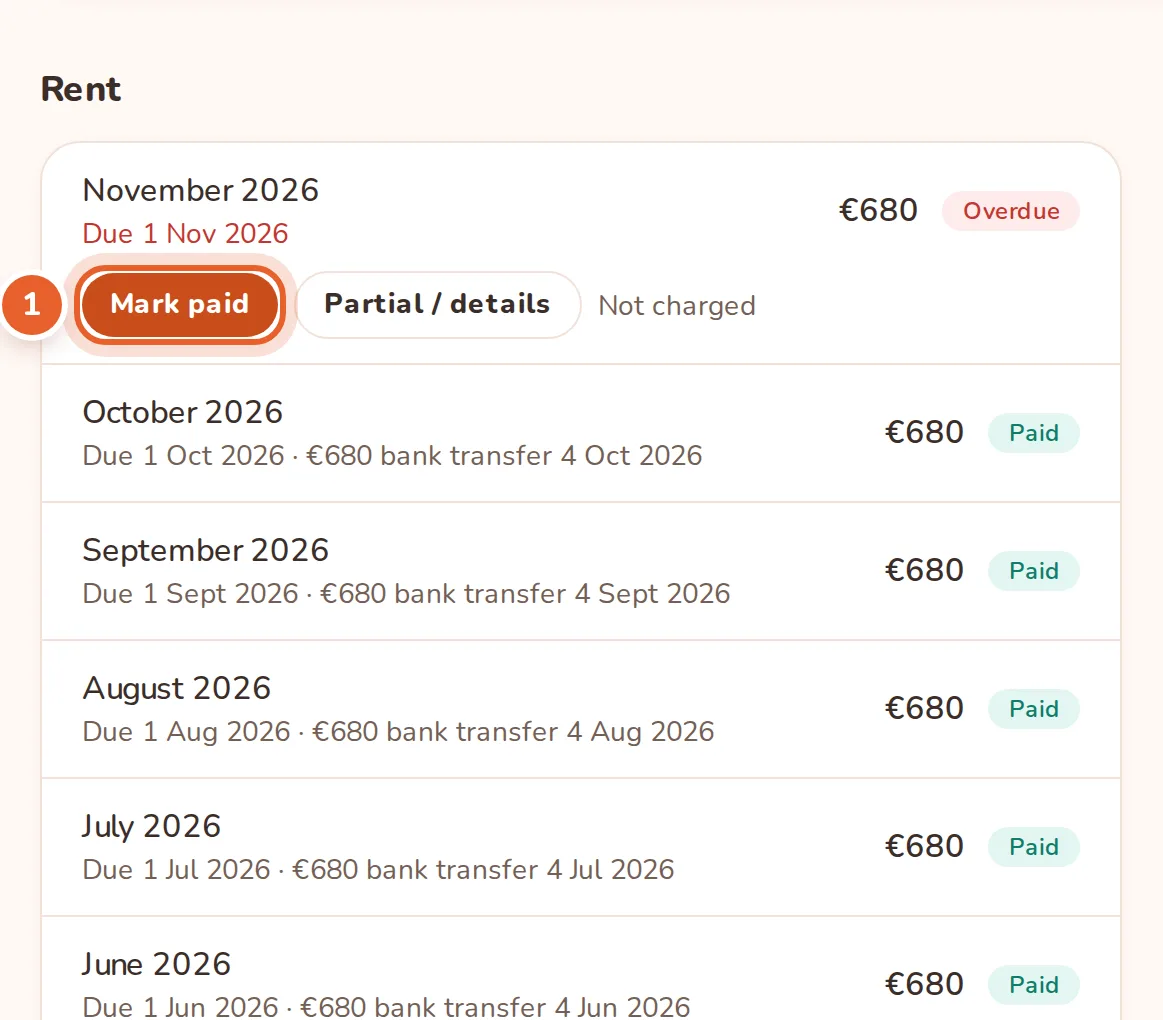
The Rent section with a Mark paid button on a month that's due - 2
Paid part, or on another day?
Tap Partial / details instead. Enter the amount that arrived, the date, how it was paid (bank, cash, card…) and a note if you like 1, then tap Record payment.
The month shows what's still owed until the rest comes in.
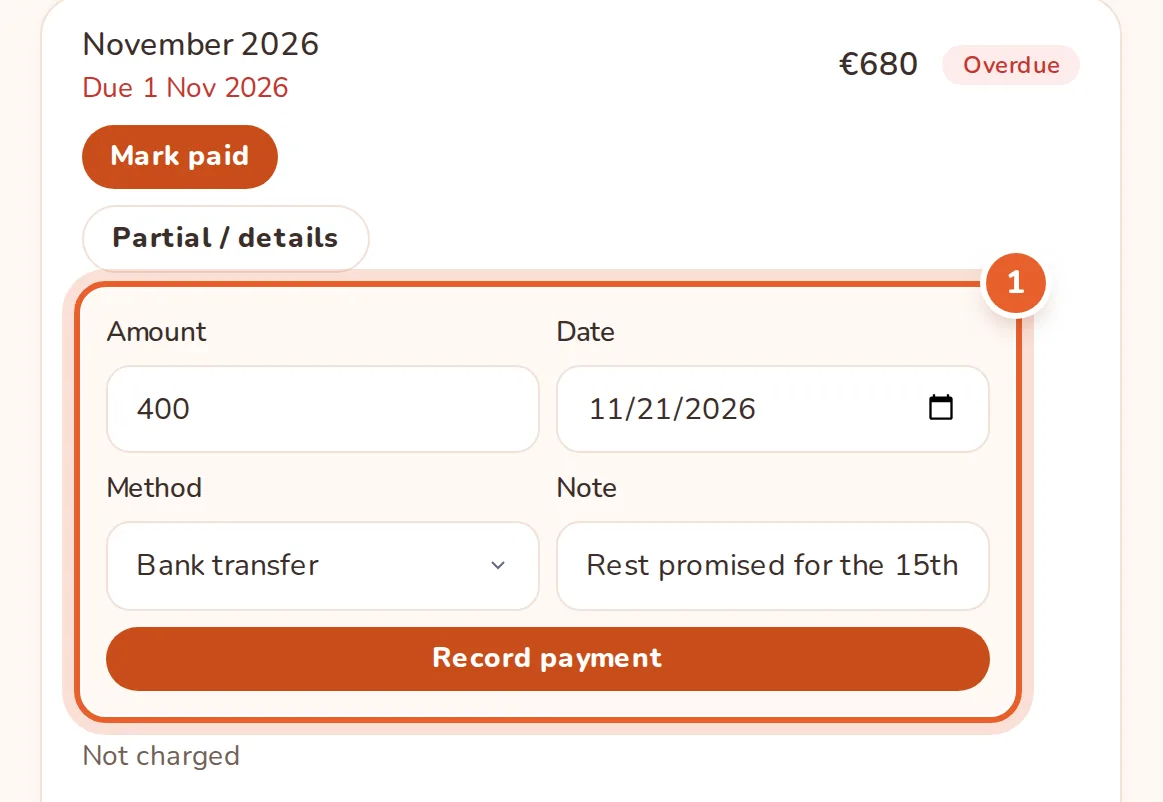
The part payment form with amount, date, method and note Tip: Giving a rent-free month? Tap Not charged on that month. Marked something by mistake? Tap Undo.
- 3
See who still owes you
In Money, open the Rent owed tab. It shows the rent Outstanding now 1, tenant by tenant and month by month. Overdue rent also appears on Home under Needs attention.
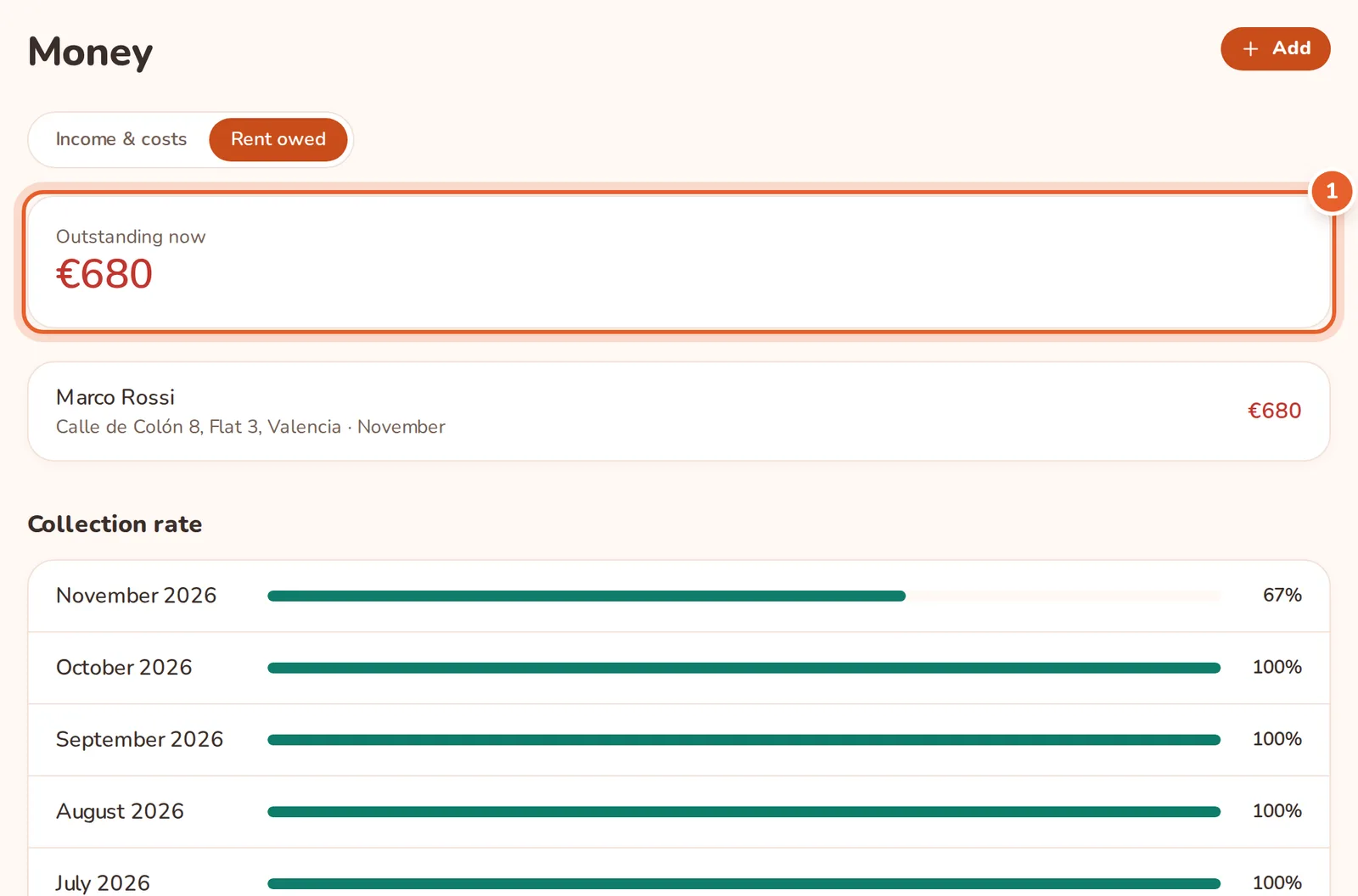
The Money page with rent outstanding
Still stuck?
Email us and a real person will help — usually within one working day.