2 min read
Settings, currency and your plan
Set BnB247 up the way you work, and choose a plan when your free trial ends.
- 1
Currency, tax year and time zone
In Settings → Account 1 choose your currency (any currency works), the month your tax year starts, your time zone and whether you prefer a 24-hour clock and A4 paper or a 12-hour clock and US Letter.
Your time zone decides when rent is due and when reminders are sent.
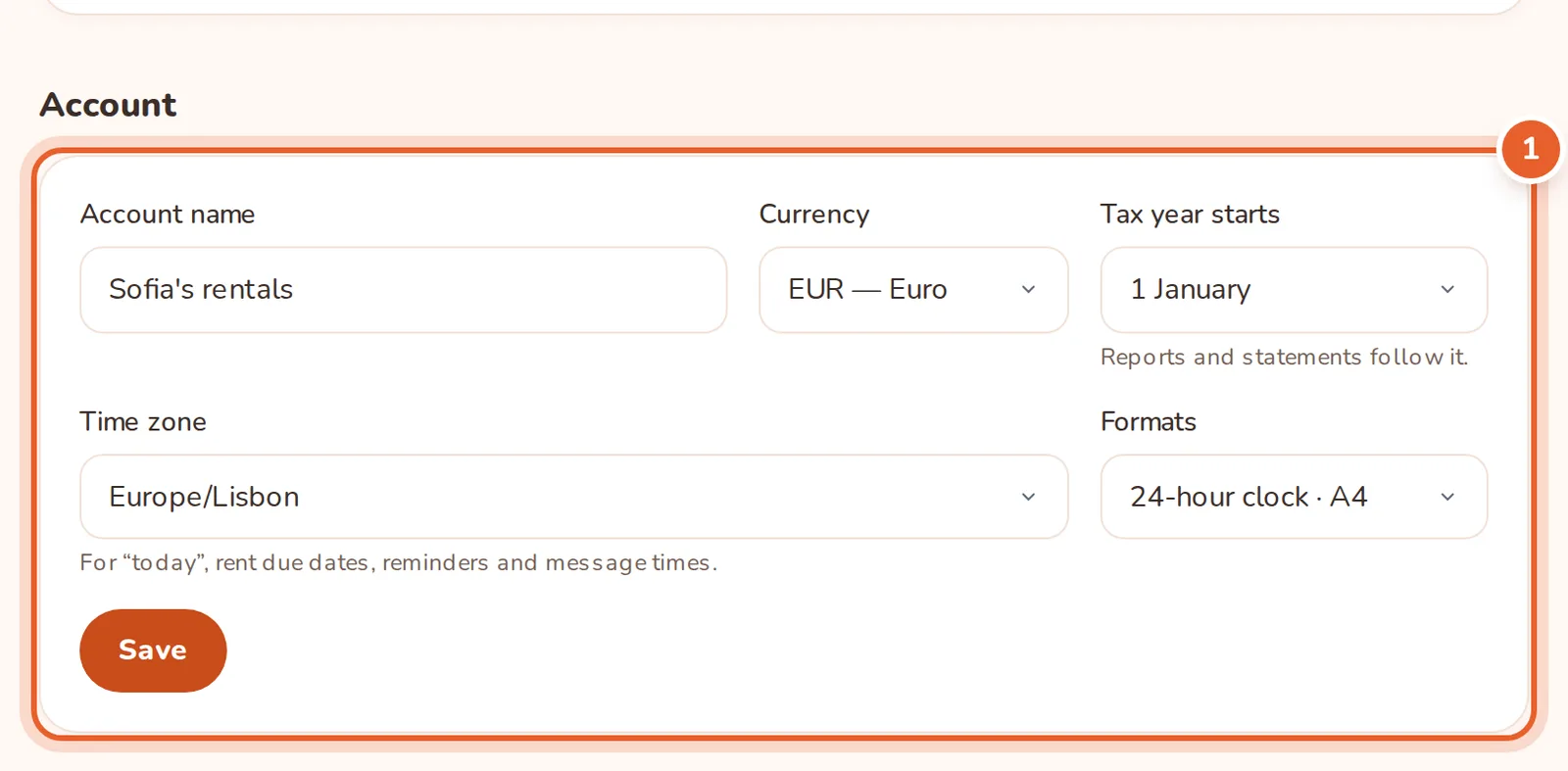
The Account section of Settings - 2
Billing details: individual or business
When you sign up, you choose Individual or Business and your country. A business adds its company name, address and, if it has one, its VAT number. They're printed on your invoices and shown under Billing details 1.
Check them carefully: once saved, only our support team can change them. Email support@bnb247.com if something needs updating.
Prices include VAT where it applies: 19% in the EU. An EU business outside Cyprus with a valid VAT number pays no VAT (reverse charge) — we check the number with the EU when you save. Outside the EU there's no VAT.
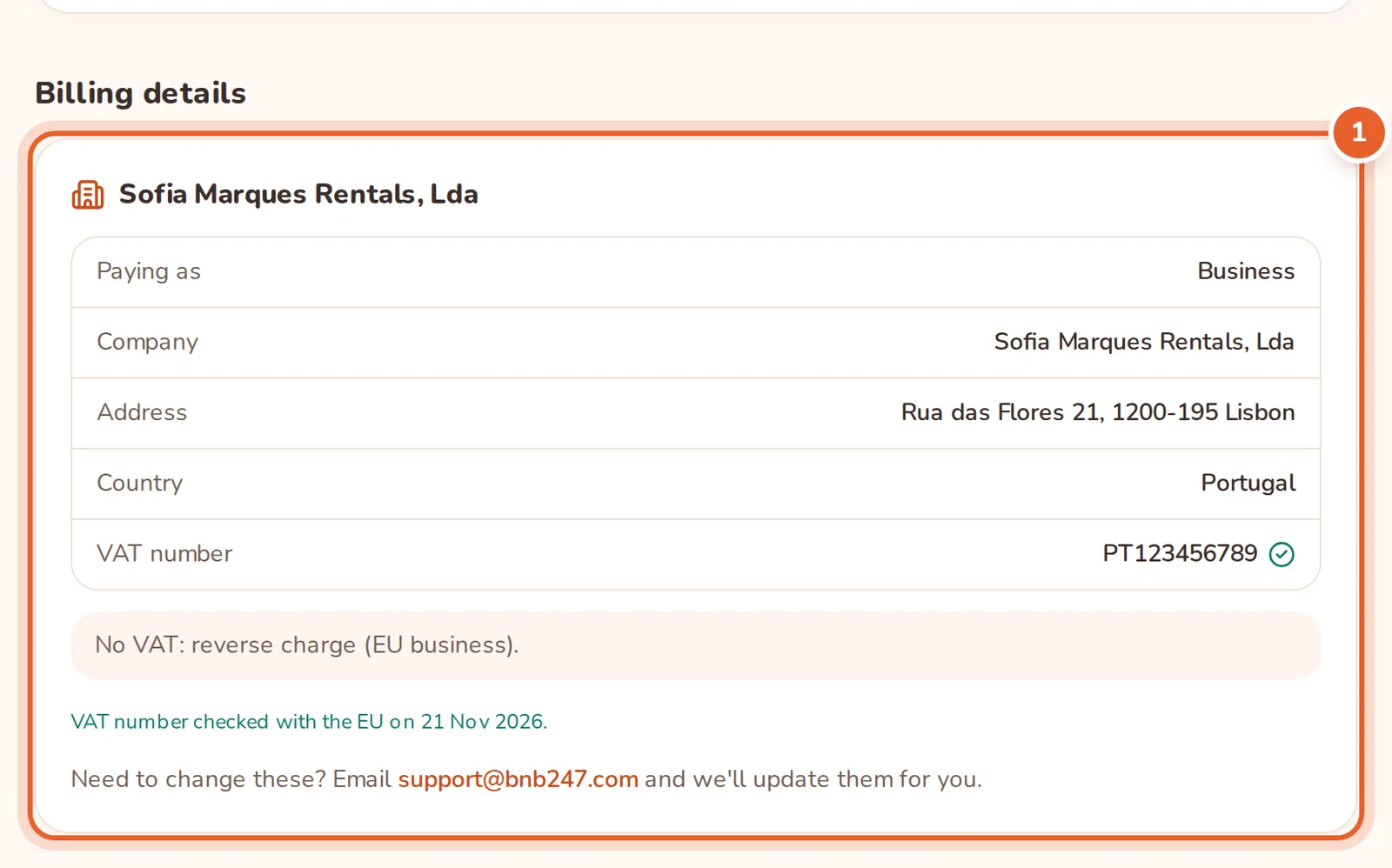
The Billing details section with Individual or Business, country and VAT number - 3
Your free trial and plans
You can use everything free for 14 days, with no card. The days left are shown at the top of the app.
To keep going, pick Monthly or Yearly under Plan, then tap Choose on a plan 1 (on a phone, swipe to see them all). You pay by card, Apple Pay or Google Pay right on the page. You can cancel any time; your data stays yours and readable.
Once you're paying, Your plan shows your next payment, your card and past payments with PDF invoices. Change plan, update your card or cancel there. When you change plan, the exact amount to pay or the credit you get is shown before you confirm.
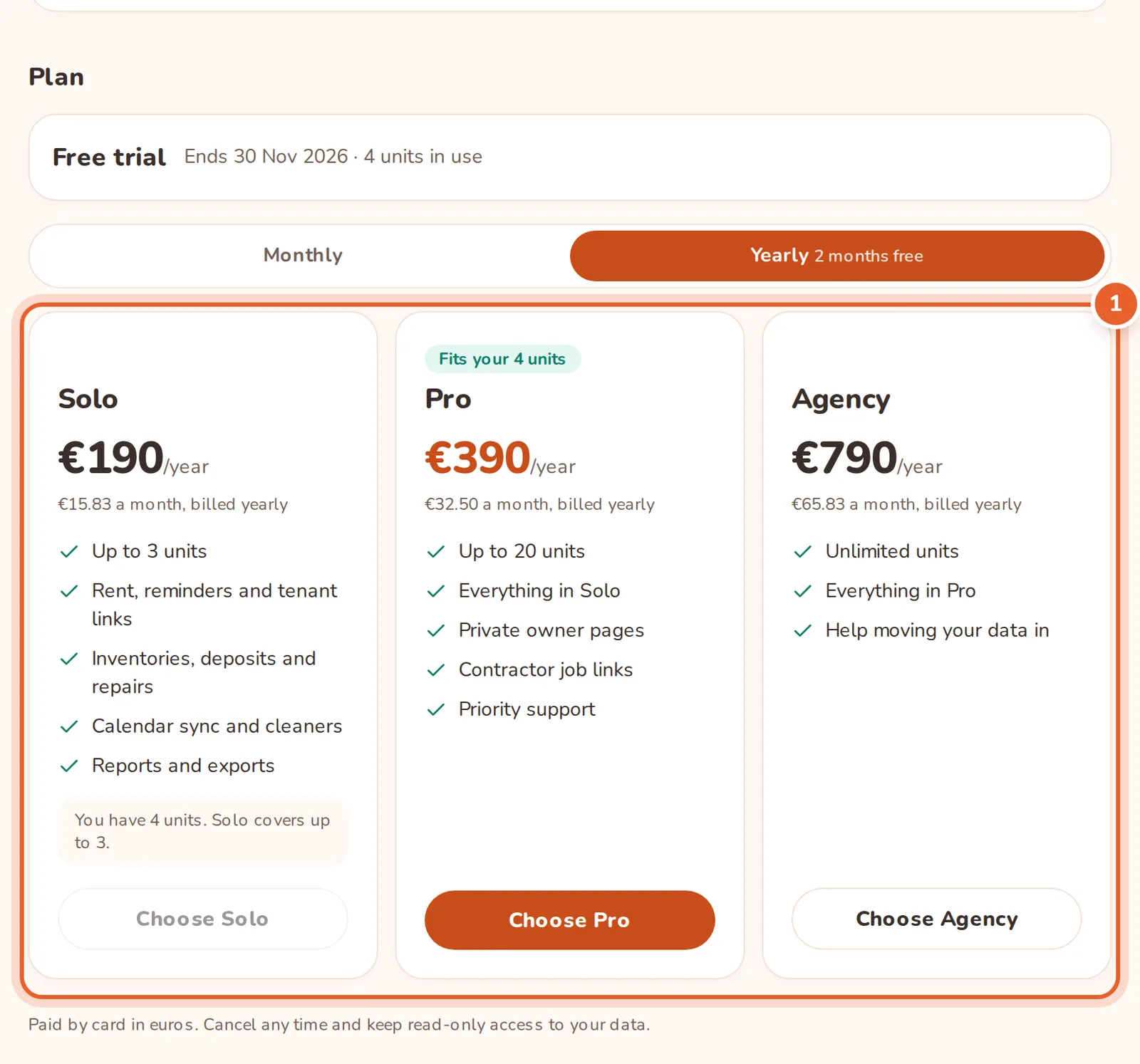
The Plan section of Settings with the plans Tip: Need everything you've entered? Settings → Your data → Export everything gives you a full copy at any time.
Still stuck?
Email us and a real person will help — usually within one working day.